Follow these 3 simple steps to secure your family's digital world.
Just paid? One last step
Register or sign in to the KidShield app with the same email you used at checkout. Your plan switches on automatically — nothing to enter. Paid before creating your account? No problem: register with that email and it will apply. Different email or "Hide My Email"? Write to info@kidshield.family with your receipt.
Child on iPhone or iPad? KidShield works without Family Sharing, but a child can switch off Screen Time access in iOS Settings. For the strongest protection, add your child to Family Sharing and set a Screen Time passcode on their device. On Android, Device Admin makes removal much harder. Message Monitoring is available on Android only.
1
ON THE PARENT'S DEVICE
Install & Register
Download the KidShield app on your phone. Open it and select "I'm a Parent". Create your account using your email — this will be your central command center.
First launch: choose I'm a Parent
2
ON YOUR CHILD'S DEVICE
Pair the Devices
Install KidShield on your child's phone or tablet. Select "This is a Child's Device". On your phone, open More → Add Child (or your child's menu → Generate New Pairing Code) to get a 6-digit code, then type it into Link This Device on the child's phone and tap Connect. The code is valid for 15 minutes.
On the child's phone: enter the 6-digit code
3
ON YOUR CHILD'S DEVICE
Grant Permissions
After pairing, the app shows a checklist of 5 items with a progress bar. Accessibility and Device Admin are marked Required; the rest are Optional. Tap each card, follow the on-screen steps, then come back and tap the next one.
The setup checklist on the child's phone
Accessibility Access REQUIRED
Enables app blocking, screen time locks, and schedule enforcement.
Once all permissions are granted, the shield is live. You'll receive instant push alerts on your phone if any protection is ever disabled — with exact steps to fix it. Here's a quick reference for what each alert means:
"KidShield Removed!" — App was uninstalled. Reinstall & re-pair immediately.
"Protection Removed!" — Device Admin deactivated. Child can now uninstall. Re-enable immediately.
"App Blocking Disabled" — Accessibility was turned off. Re-enable via Settings → Accessibility.
"Message Monitoring Off" — Notification Access revoked. Re-enable via Settings → Apps → Special App Access → Notification Access.
"Web Filter Disabled" — VPN stopped. Toggle Web Filter OFF then ON in Controls → Safety.
"EMERGENCY SOS!" — Your child pressed "Get help" and confirmed. Call them immediately and check their GPS.
Need the full guide?
Every feature explained in plain language — schedules, message monitoring, geo-fencing, SOS, and more.
 KidShield
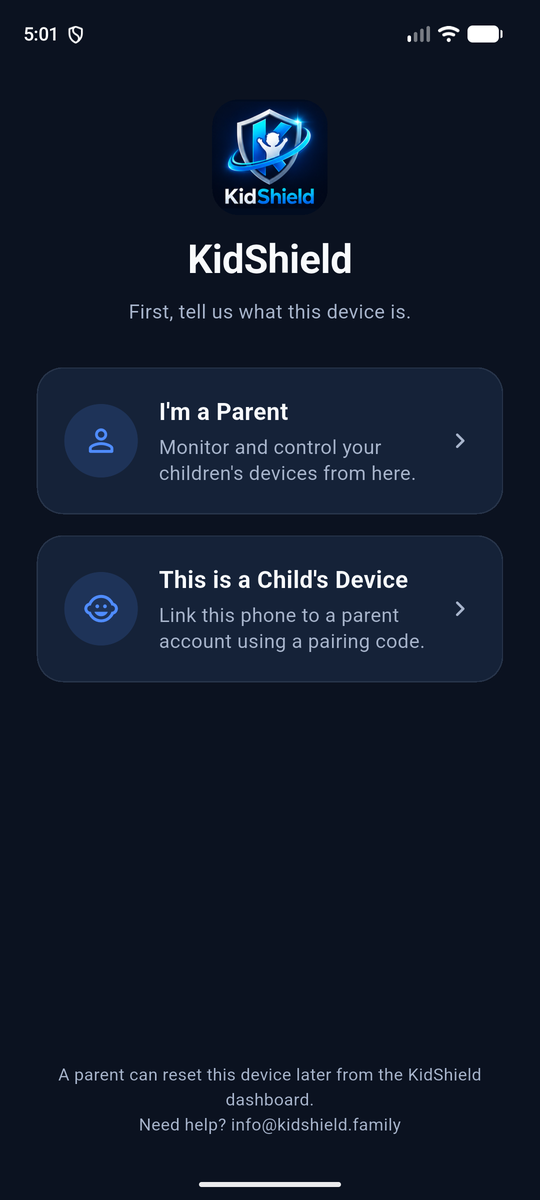 First launch: choose I'm a Parent
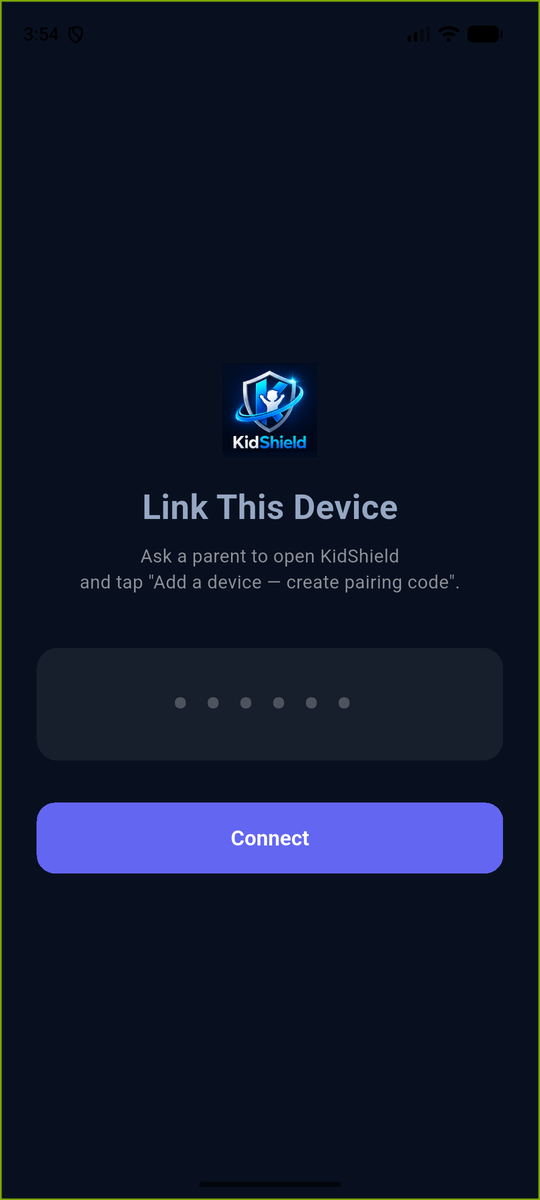 On the child's phone: enter the 6-digit code
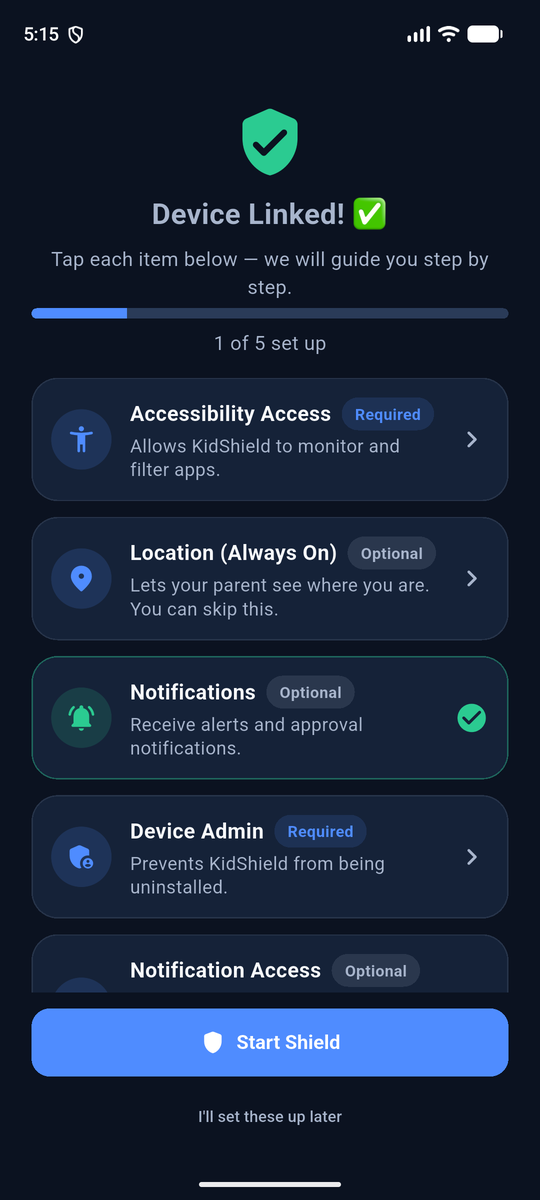 The setup checklist on the child's phone